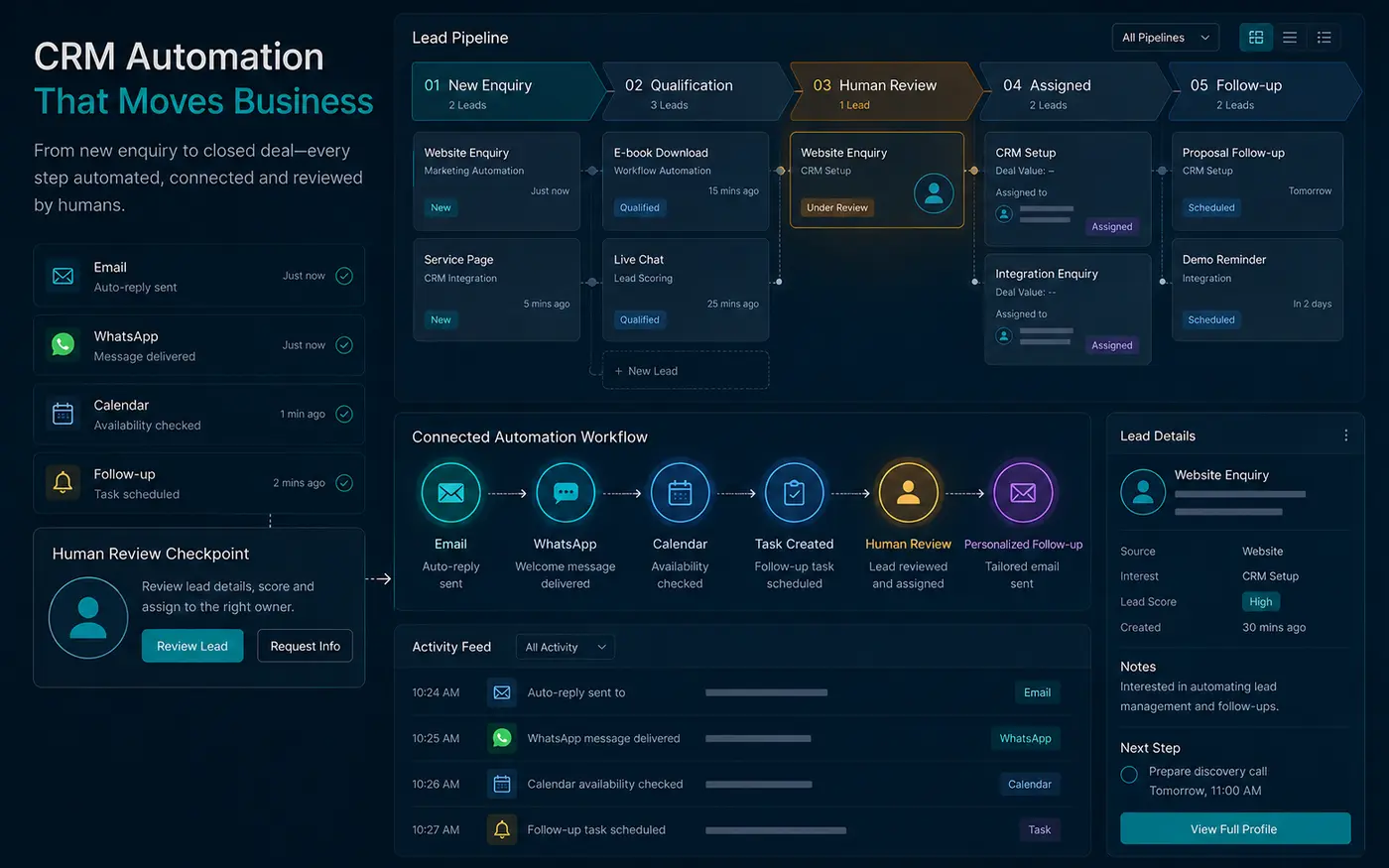
Lead-response automation should reduce delay, protect context and make ownership visible. It should not pretend that software has reviewed a business situation when no person has done so.
Trust is preserved when the prospect understands what is automated, what happens next and where human judgment enters the process. The goal is a faster and more reliable experience, not a louder sequence of generic messages.
Start with the response promise
Define what the business can responsibly promise after an enquiry: immediate receipt confirmation, a reference number, review within a stated window and a response through the preferred channel. Automation should support this promise consistently.
Do not promise an instant proposal if scope requires discovery. A clear acknowledgement is more credible than a detailed automated recommendation based on incomplete context.
Capture the context once
The form and attribution layer should collect only useful information: name, contact details, business, service interest, goal, timing, original landing page, referral source and the prospect’s own description of the need. Avoid asking the same questions again in the first reply.
Store first-touch and current context separately where possible. This helps the reviewer understand both how the relationship began and what the prospect is considering now.
Separate automation from judgment
Reliable automation tasks include creating a lead record, checking required fields, assigning an owner, sending a receipt, setting a follow-up deadline and notifying the team. Judgment tasks include qualification, recommendation, scope, pricing, risk and whether the business is a suitable fit.
AI may summarise information or prepare questions, but its output should remain reviewable. It should not invent facts, commitments or confidence that the submitted evidence cannot support.
Design a visible ownership path
Every lead needs an owner and a next action. Define what happens when the owner is unavailable, when information is missing, when the lead is urgent and when no response has been recorded by the deadline.
A workflow without exception handling is only reliable when nothing unusual happens. Escalation rules and manual controls are part of the design.
Write messages that sound truthful
A confirmation should state that the enquiry was received, summarise what will happen next and provide a real contact option. Avoid phrases such as “we have carefully reviewed your project” when the message is sent immediately.
Use the person’s submitted context sparingly and accurately. Excessive personalisation can feel artificial, while incorrect personalisation damages trust quickly.
Use channel choice responsibly
Email is suitable for detailed context and records. WhatsApp can support faster conversation when the prospect requests it. Calls require a clear scheduling or consent path. Do not treat a submitted phone number as permission for unrelated promotional messaging.
Keep data quality and privacy in the workflow
Validate and normalise important fields, restrict access, retain only what the business needs and provide a path for correction or deletion requests. Avoid placing personal information in public URLs. Confirmation pages should be excluded from search indexing.
Measure reliability before sophistication
Track whether enquiries are saved, notifications are delivered, receipts are sent, owners are assigned and follow-ups occur. Then review response time, lead quality, source and progression. A complex score is not useful if the basic delivery path occasionally fails.
Run controlled tests after form, email, CRM, cache or automation changes. Include desktop and mobile submissions, preferred channels and failure conditions.
Introduce automation in controlled stages
Begin with receipt, assignment and internal reminders. Once those steps are reliable, add context summaries, routing branches and approved templates. More advanced assistance should be introduced only after the team can see why a record moved, change the decision and recover from failure.
Keep a manual path during rollout. Document who can pause the workflow, how duplicate or incomplete records are handled and where delivery errors appear. Controlled adoption protects prospects and helps the team trust the system for the right reasons.
A responsible first workflow
- Save the enquiry and attribution safely.
- Show a clear confirmation page with a non-personal reference.
- Send a truthful receipt and notify the assigned reviewer.
- Prepare a concise context summary and follow-up deadline.
- Require human review before recommendations or commercial commitments.
- Record the response and next action in the CRM.
The Workflow Automation & AI Assistants service is designed around controlled handoffs and human review. If lead response is inconsistent, describe the current form, tools and ownership through the project brief so the first recommendation can focus on the actual bottleneck.