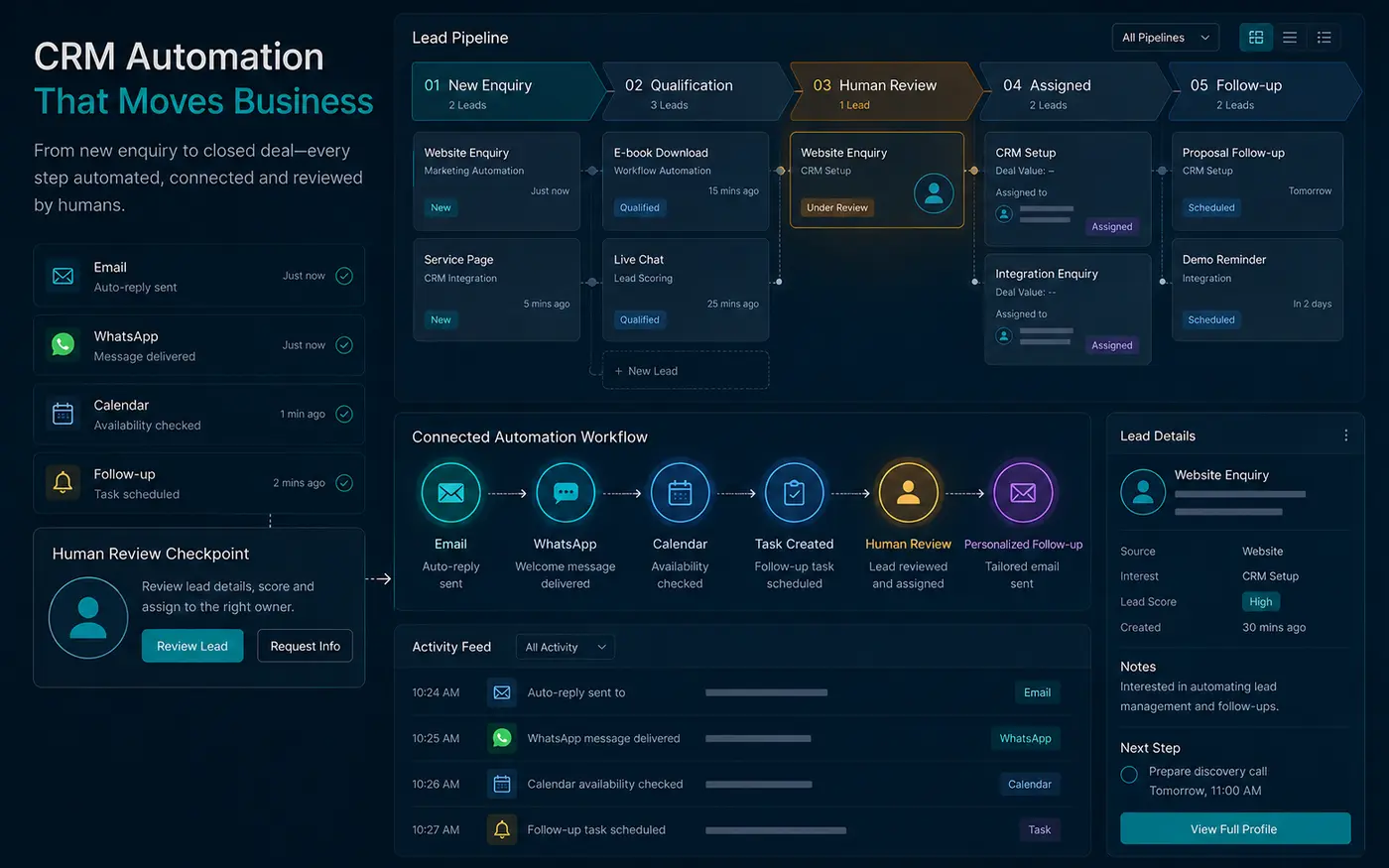
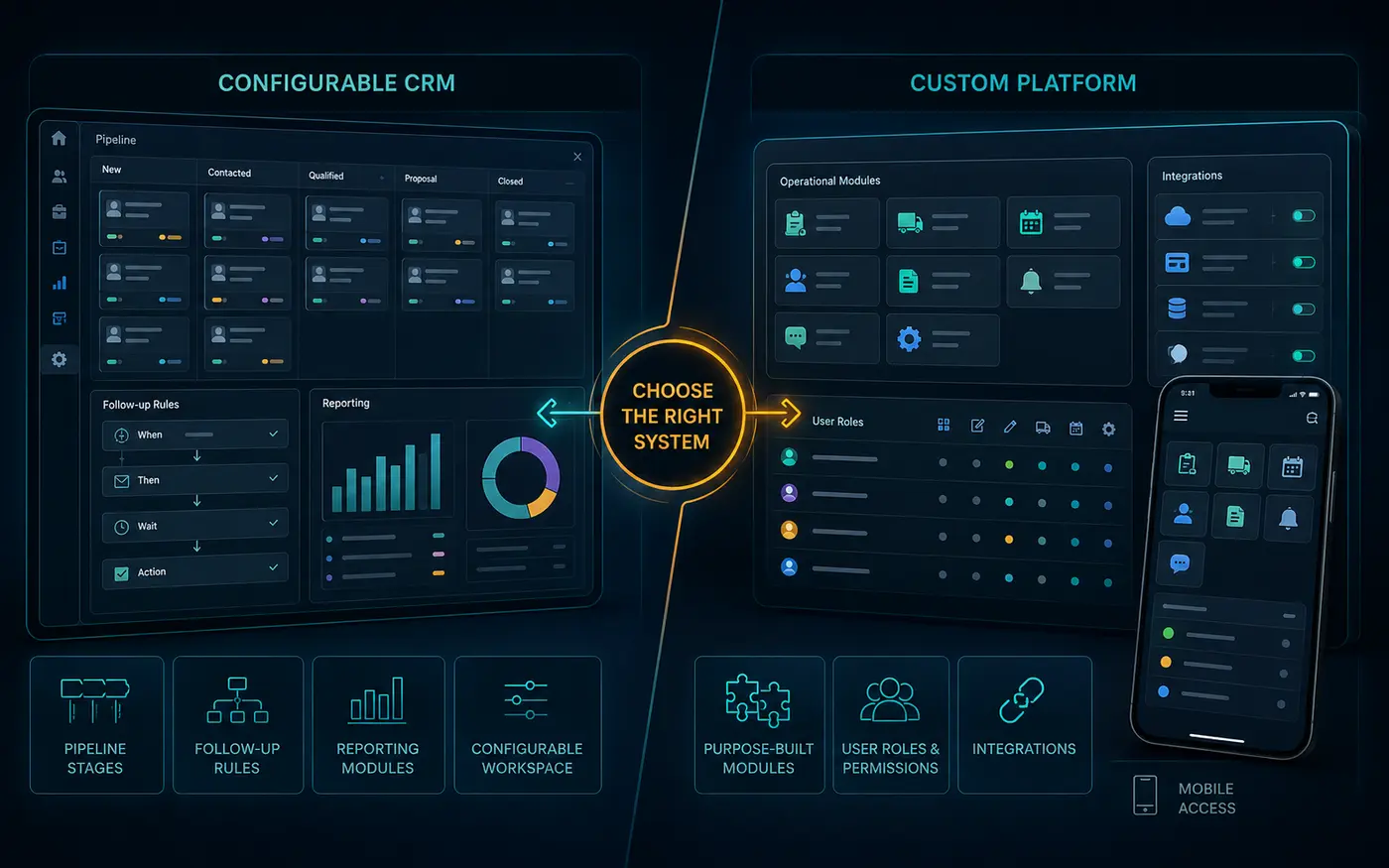
A CRM automation project and a custom platform can both improve operations, but they solve different classes of problem. The correct decision begins with the workflow, users and data—not with a preference for a particular tool.
Standard software is usually the responsible first choice when the operating model is familiar. Custom development becomes appropriate when the business has distinctive rules, permissions, transactions or user experiences that standard tools cannot represent without fragile workarounds.
What CRM and automation are designed to handle
A customer relationship management system is well suited to leads, contacts, companies, opportunities, activities, ownership and pipeline stages. Automation can capture form submissions, assign records, create reminders, send confirmations, prepare context and move information between approved tools.
Use this route when the process is broadly standard but execution is inconsistent. Typical problems include slow response, missed follow-up, unclear ownership, duplicate data entry and reporting assembled manually.
When configuration is enough
Configuration is often sufficient when the required objects and decisions already exist in the CRM: who the prospect is, what they need, which stage they are in, who owns the next action and what should happen after a defined event.
Before replacing the system, review field design, pipeline stages, permissions, integrations and team adoption. A poorly configured CRM can look like the wrong product even when the underlying capability is suitable.
Signals that a custom platform may be justified
A custom portal, application or SaaS product becomes more reasonable when external users need a controlled experience; permissions depend on complex roles; the workflow includes distinctive calculations or transactions; several systems must exchange data under specific rules; or the product itself is the business offering.
Custom does not mean unlimited. The first release should have a defined user, job and boundary. Building a broad platform before the team has agreed on its core workflow simply turns ambiguity into code.
Do not automate a broken process
Map the current state before connecting software. Record triggers, inputs, decisions, owners, exceptions and outputs. Identify which steps are rules and which require judgment. Automation should handle reliable repetition; people should remain responsible for sensitive recommendations, exceptions and commercial commitments.
If two team members cannot agree on when a lead is qualified, software cannot resolve the policy for them. It can only execute whichever unclear rule is configured.
Compare the options using six questions
- Who are the users? Internal sales teams may fit a CRM; clients, partners or subscribers may require a portal.
- What data objects exist? Leads and deals are standard; specialised inventories, learning records or operational assets may not be.
- How distinctive are the rules? Common routing is configurable; proprietary logic may justify a build.
- What integrations are essential? Use supported connectors where possible and test critical APIs early.
- What is the consequence of failure? Higher-risk workflows need stronger permissions, logging, testing and fallback paths.
- Who will own the system? Both routes need administration, data quality and ongoing improvement.
Consider a hybrid architecture
The choice is not always binary. A CRM can remain the system of record while a focused portal provides the user experience. Automation can move approved information between them. This avoids rebuilding mature CRM capabilities while still supporting a distinctive workflow.
The hybrid approach needs clear data ownership. Decide which system creates each record, which fields can be updated, how conflicts are handled and what happens when an integration is unavailable.
Prototype the riskiest assumption
For automation, prototype the trigger, routing rule and exception path. For a custom platform, prototype the critical user journey, information structure and integration. A prototype is valuable when it answers a decision—not when it simply resembles a finished interface.
Choose by total responsibility
Compare licence costs, implementation, training, data migration, security, maintenance, support and future changes. Standard tools trade some flexibility for mature capability. Custom systems trade greater control for continuing ownership.
Document the decision in a short architecture brief. It should name the chosen system of record, the users, the first workflow, required integrations, data ownership, approval controls and the conditions that would justify a later custom phase. This keeps the technology choice connected to the operating need.
If the workflow is familiar, start with CRM & Lead Management Systems or Workflow Automation & AI Assistants. If the operating model genuinely requires bespoke infrastructure, review Custom Applications, Portals, SaaS & Integrations. A human-reviewed project brief can help choose the smallest responsible route.